
Download Cyndicate – Powerful Desktop RSS Reader for Windows & macOS
Overview
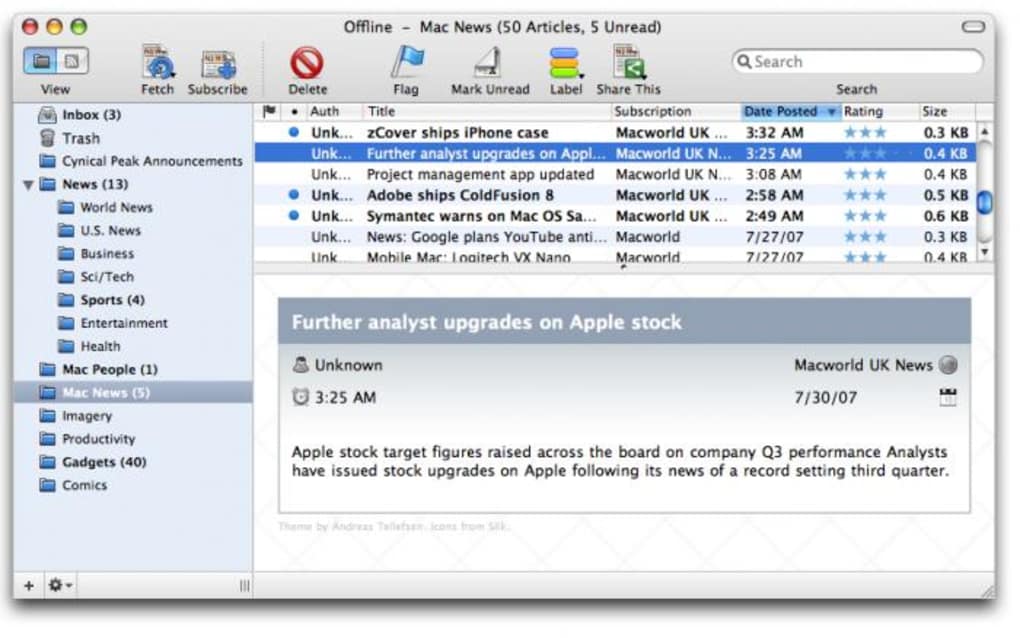
Cyndicate is a simple yet powerful news‑syndication tool that brings the classic RSS reading experience to the modern desktop. Designed for users who want to stay on top of their favorite blogs, podcasts, and news sites without the clutter of web‑based aggregators, Cyndicate offers a clean, two‑pane interface that lets you toggle between a folder view and a direct RSS link view. From the left navigation pane you can organize feeds into smart folders, apply custom filters, and tag articles with ratings, flags, or user‑defined labels.
The application goes beyond basic reading by allowing you to share articles instantly on popular social networks such as del.icio.us and Digg, and even push content to your own blog with a single click. Recent updates have focused on stability—crash fixes around rating actions, improved handling of enclosures, and integration with the latest Growl notifications. Whether you’re a casual reader looking for a tidy way to skim headlines or a power user needing granular control over thousands of feeds, Cyndicate positions itself as one of the most feature‑rich desktop RSS readers available today.
Core Features & Smart Organization
What makes Cyndicate stand out?
- Dual view mode – switch instantly between folder hierarchy and flat RSS list.
- Smart folders – automatically group feeds based on keywords, tags, or custom rules.
- Advanced filtering – set preferences to hide or highlight topics you care about.
- Rating system – assign 1‑5 stars to articles for quick prioritization.
- Labeling & flagging – use colors, tags, or flags to categorize and retrieve items later.
- Social sharing – post to del.icio.us, Digg, and other networks directly from the reader.
- Blog integration – configure your favorite blog editor and publish with a single “Blog this” command.
- Growl notifications – receive real‑time alerts for new articles, updates, or errors.
- Enclosure management – download, view, or delete attached media such as podcasts or PDFs.
- Alias support – use shortcut names for feeds and databases, simplifying large collections.
The feature set is thoughtfully arranged to keep the learning curve low while still offering depth for power users. For example, the smart folder engine uses simple pattern matching, so you can create a folder that automatically gathers any feed containing “technology” or “AI” in its title. Meanwhile, the rating and labeling tools are fully searchable, allowing you to pull up all five‑star articles about a specific topic with just a few keystrokes. These capabilities combine to make Cyndicate more than a passive reader; it becomes an active knowledge‑management hub that adapts to your evolving interests.
Installation, Usage & Compatibility
Getting Cyndicate up and running
Installing Cyndicate is straightforward. Download the installer from the official website, run the .exe (Windows) or .dmg (macOS) file, and follow the on‑screen wizard. The installer automatically creates desktop shortcuts and registers the application to handle rss:// links, making it easy to add new feeds from any browser. Once installed, launch Cyndicate and you’ll be greeted by the default layout: a left‑hand pane for navigation and a right‑hand pane for article previews.
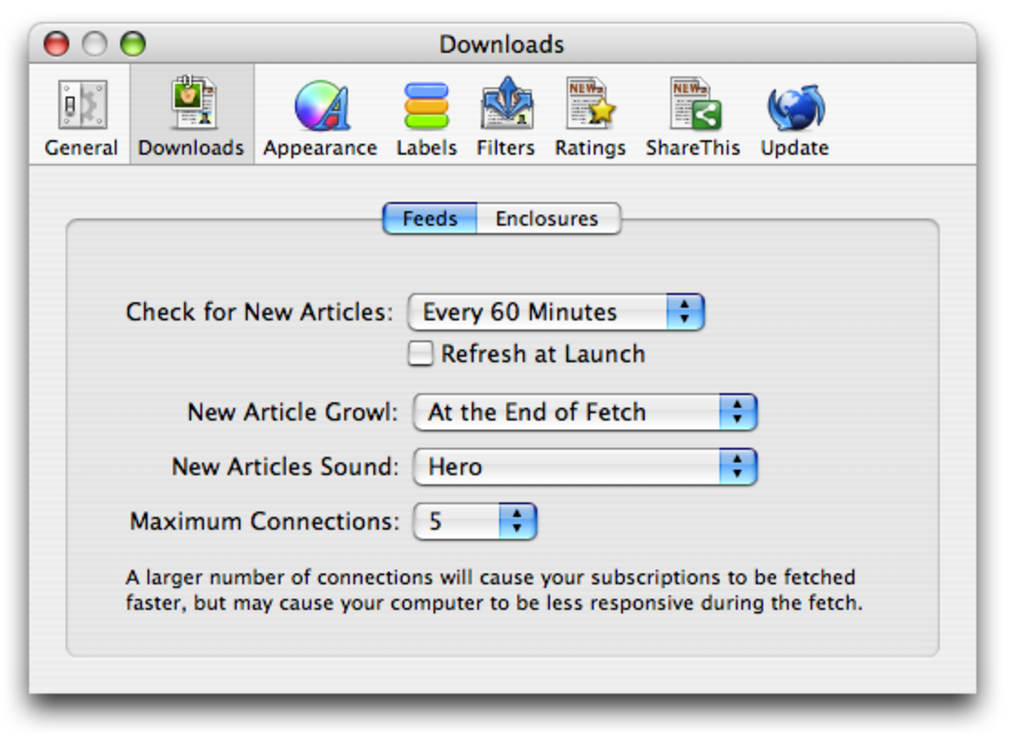
The first‑time setup wizard helps you import existing OPML files, so you can migrate from other readers without losing your subscriptions. After import, you can immediately start creating smart folders or applying filters via the Preferences menu. The Preferences dialog also houses the social‑sharing credentials, blog editor selection, and Growl notification settings.
Supported operating systems: Cyndicate runs natively on Windows 10/11 (both 64‑bit) and macOS 10.15 (Catalina) or later. While a mobile version is not currently offered, the desktop client provides a responsive design that scales well on high‑resolution displays and supports keyboard shortcuts for rapid navigation.
Usage tips: Use the Ctrl+F shortcut to quickly search across all feeds, and press Ctrl+R to rate the selected article. To share an article, simply click the “Share” button in the toolbar and choose your desired network. The “Blog this” feature appears in the context menu when you right‑click an article, sending the content directly to the blog editor you configured earlier.
Pros, Cons, FAQ & Final Verdict
Pros & Cons
- Pros
- Highly customizable smart folders and filters.
- Robust social‑sharing and blog‑posting capabilities.
- Stable performance with recent crash fixes.
- Native Growl integration for real‑time alerts.
- Easy import of OPML files from other readers.
- Cons
- No dedicated mobile app (desktop‑only).
- Interface may feel dated to users accustomed to modern web‑based readers.
- Lacks built‑in search across article contents (only title/metadata).
Frequently Asked Questions
Is Cyndicate free to use?
Yes, Cyndicate offers a fully functional free version. A premium license is optional and provides additional features such as cloud sync and priority support.
Can I import feeds from other RSS readers?
Absolutely. Cyndicate supports OPML import, allowing you to migrate subscriptions from Feedly, Thunderbird, or any other OPML‑compatible client.
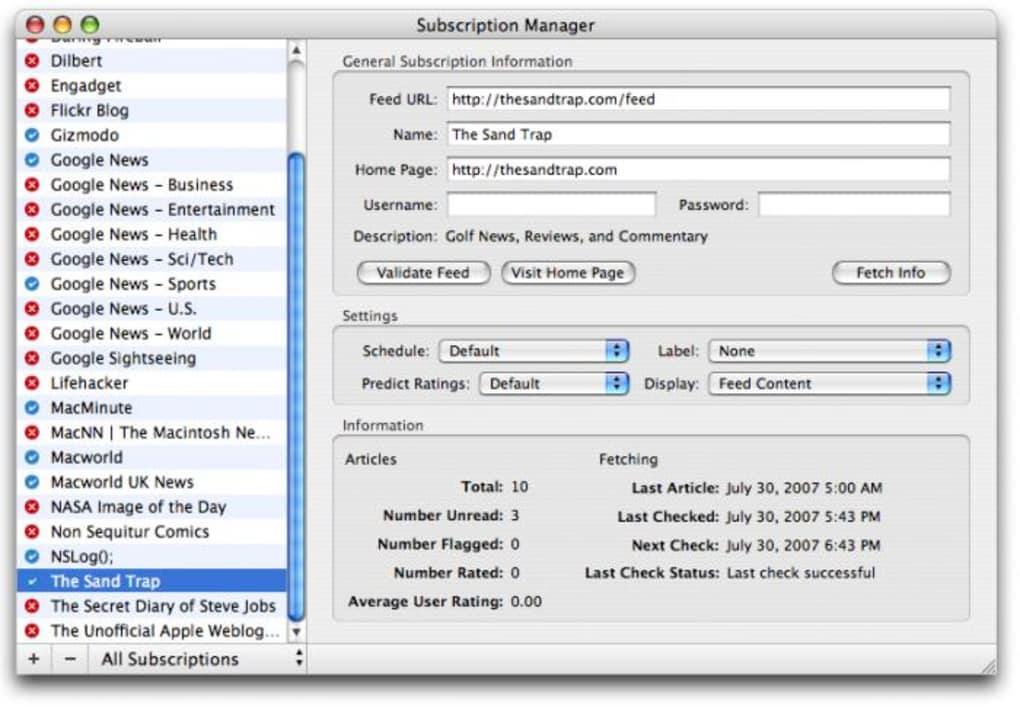
How does Cyndicate handle large numbers of feeds?
The smart folder engine and background fetching are optimized for scalability. Users routinely manage 2,000+ feeds without noticeable slowdown.
Is my data secure when sharing to social networks?
Cyndicate uses HTTPS for all authentication and posting actions, ensuring that your credentials and shared content are encrypted during transmission.
Can I customize notification sounds?
Yes. Within the Preferences → Notifications panel, you can select from a list of built‑in sounds or point to a custom audio file for Growl alerts.
Review Summary
Rating: 4.5 / 5
Cyndicate excels at providing a deep, organized reading experience on the desktop. Its smart folder system, rating tools, and seamless social integration give it an edge over many free competitors. While the lack of a mobile app may deter some, the overall stability and feature set make it a solid choice for power users.
Conclusion & Call to Action
If you’re looking for a reliable, feature‑rich RSS reader that stays out of the browser and into your workflow, Cyndicate is worth a download. Its combination of smart organization, sharing options, and robust stability updates positions it as a top contender in the desktop RSS market. Ready to take control of your news streams? Download Cyndicate now and start customizing your reading experience today.







